...:::free.3xforum.ro:::...
...:::free.3xforum.ro:::...
Pe acest forum http://free.3xforum.ro Gasiti: muzica noua, Albume, Manele, Club Soundz, Dance, Tecktonik, Teckno, Minimal, Progresiv House si Software, Windows Xp, Vista sau Windows 7, Design, Themes, Skins, Wallpapers, Icons, Fun, Posturi De Radio, E-Book, Mobile, etc. Si totul gratis, descarca si tu gratis orice, free download!!! FORUMUL ESTE IN PERMANENTA PROMOVARE , CONSTRUCTIE SI DEZVOLTARE VA RUGAM SA NE AJUTATI.
|
Lista Forumurilor Pe Tematici
|
...:::free.3xforum.ro:::... | Reguli | Inregistrare | Login
POZE ...:::FREE.3XFORUM.RO:::...
Nu sunteti logat.
|
Nou pe simpatie:
Lorena13 pe Simpatie
 | Femeie
24 ani
Bucuresti
cauta Barbat
26 - 40 ani |
|
relu
Moderator
 Din: roma
Inregistrat: acum 17 ani
Postari: 480
|
|
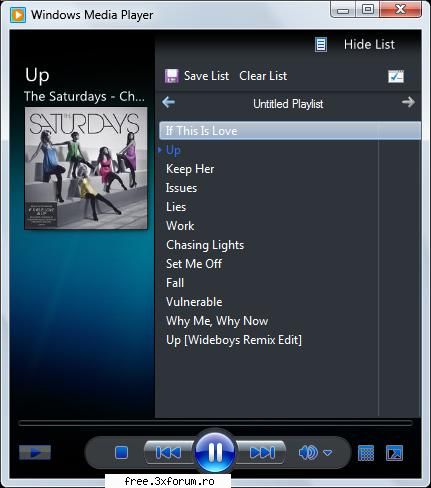
Windows Media Player 12.0.7000.7000
Windows Media Player (WMP) 12 which comes with lighter and brighter user interface as well as several new features, is scheduled to be shipped with Windows 7. Unfortunately Microsoft is not planning to release it sooner than the official launch of Windows 7 and this leaves people who are eager to use the latest version of Windows Media Player restless.
While we only see WMP 12 is distant away from reaching, Mikasi2009, a user over at Devianart brings the lovely WMP 12 closer for grab by coming up with a way to install Windows Media 12 on Windows Vista. For what is worth, this guy is one of the lucky 1000 participants who got invitation for Windows 7 Beta 2 Closed Testers and has access to the Windows Media Player 12.0.7000.7000 original files from Windows 7 Build 7000.
How to install Windows Media Player 12?
1. Download this file and extract it.
2. - copy wmploc.dll in C:WindowsSystem32
- copy Windows Media Player folder to Crogram Files
Code:
Code:
35.1KB
_______________________________________


|
|
| pus acum 17 ani |
|